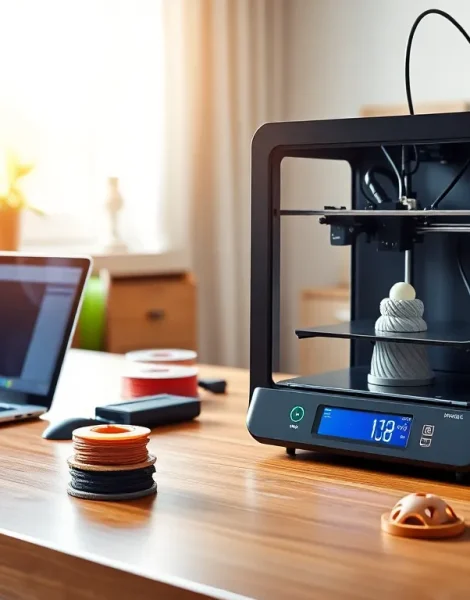
This 3D printing guide covers everything beginners need to know before creating their first print. 3D printing has moved from industrial labs to home desks, and the technology is now accessible to hobbyists, educators, and small business owners alike. Whether someone wants to print custom phone cases, replacement parts, or artistic creations, understanding the basics makes all the difference. This guide breaks down how 3D printing works, which printer types suit beginners best, what materials to use, and how to troubleshoot common issues. By the end, readers will have the knowledge to start printing with confidence.
Table of Contents
ToggleKey Takeaways
- This 3D printing guide covers the fundamentals beginners need, from choosing a printer to troubleshooting common issues.
- FDM printers are the most beginner-friendly option, offering affordability and a supportive online community.
- PLA filament is ideal for new users because it prints at lower temperatures, produces minimal odor, and resists warping.
- Proper bed leveling and surface preparation are critical steps for achieving successful first prints.
- Start with test prints like calibration cubes to identify and fix problems before tackling larger projects.
- Common issues like stringing, layer shifting, and poor adhesion can be resolved by adjusting slicer settings and checking hardware.
How 3D Printing Works
3D printing creates physical objects from digital files through a process called additive manufacturing. Unlike traditional manufacturing that cuts away material, 3D printing builds objects layer by layer.
The process starts with a 3D model. Users can design models using CAD software like Tinkercad or Fusion 360, or they can download ready-made files from repositories like Thingiverse. The model file then goes through slicing software, which converts it into instructions the printer can follow. These instructions tell the printer exactly where to deposit material for each layer.
Most consumer 3D printers use one of two methods. Fused Deposition Modeling (FDM) heats plastic filament and extrudes it through a nozzle. The nozzle moves across a build plate, laying down material in precise patterns. Stereolithography (SLA) uses a UV laser to cure liquid resin into solid layers. Both methods build objects from the bottom up, one thin layer at a time.
Layer height affects print quality and speed. Thinner layers produce smoother surfaces but take longer to print. A typical FDM printer uses layer heights between 0.1mm and 0.3mm. Understanding this tradeoff helps users balance quality against time for each project.
Types of 3D Printers for Beginners
Choosing the right 3D printer depends on budget, intended use, and willingness to tinker. This 3D printing guide recommends three main categories for beginners.
FDM Printers
FDM printers remain the most popular choice for beginners. They’re affordable, use inexpensive materials, and produce functional parts. Entry-level models like the Creality Ender 3 series cost between $200 and $300. These printers work well for prototypes, household items, and hobby projects. The learning curve is manageable, and a large online community offers support.
Resin Printers (SLA/MSLA)
Resin printers excel at detailed work. They produce smooth surfaces and capture fine features that FDM printers can’t match. Miniature figurines, jewelry, and dental models benefit from resin printing. But, resin costs more than filament, and the printing process requires ventilation and careful handling. Cleanup involves isopropyl alcohol and curing lights. Beginners interested in detailed prints should budget around $300-$500 for a quality resin printer like the Elegoo Mars series.
Pre-Assembled vs. Kit Printers
Some printers arrive fully assembled and ready to print. Others require hours of assembly. Kit printers cost less and teach users how the machine works. Pre-assembled printers save time and reduce initial frustration. New users should consider their comfort level with tools and instructions before deciding.
Essential Materials and Filaments
Material selection impacts print strength, appearance, and ease of use. This section of the 3D printing guide covers the most common options.
PLA Filament
PLA (Polylactic Acid) is the go-to filament for beginners. It prints at lower temperatures, doesn’t warp easily, and produces minimal odor. PLA comes from renewable resources like cornstarch, making it more environmentally friendly than petroleum-based plastics. It works well for decorative items, prototypes, and low-stress parts. But, PLA softens at relatively low temperatures and isn’t ideal for outdoor use.
PETG Filament
PETG offers a middle ground between PLA and ABS. It resists heat better than PLA and provides more flexibility. PETG also handles moisture and chemicals well. Many users choose PETG for functional parts that need durability. It requires slightly higher print temperatures and a heated bed.
ABS Filament
ABS produces strong, heat-resistant parts. It’s the same plastic used in LEGO bricks. But, ABS releases fumes during printing and requires an enclosed printer or good ventilation. It also warps more than PLA, making it trickier for beginners.
Resin Types
Standard resin works for most SLA prints. Tough resin mimics ABS properties. Flexible resin creates bendable parts. Water-washable resins simplify cleanup. Beginners should start with standard resin before experimenting with specialty formulas.
Setting Up Your First Print
A successful first print requires proper preparation. This 3D printing guide walks through the essential steps.
Level the bed. Bed leveling ensures consistent distance between the nozzle and print surface. Most printers include a leveling procedure in their menu. Users typically slide a piece of paper between the nozzle and bed at multiple points, adjusting until they feel slight resistance. Some newer printers offer automatic bed leveling.
Prepare the print surface. Clean the bed with isopropyl alcohol to remove oils and dust. Some users apply glue stick or hairspray for better adhesion. Glass beds often need these adhesion helpers, while textured PEI sheets grip PLA without additives.
Load filament correctly. Heat the nozzle to the appropriate temperature before inserting filament. Push the filament until it extrudes smoothly. Watch for consistent flow before starting a print.
Choose the right settings. Slicer software offers preset profiles for common materials. Beginners should use these defaults before adjusting parameters. Print speed, temperature, and infill percentage all affect results. A 20% infill works for most decorative prints. Functional parts may need 40% or higher.
Start with a test print. Many printers include test files. A calibration cube or benchy boat helps identify issues before tackling larger projects. These prints take minimal time and material while revealing potential problems.
Common Troubleshooting Tips
Even experienced users encounter problems. This 3D printing guide addresses the most frequent issues.
First layer won’t stick. Poor bed adhesion causes prints to fail early. Solutions include releveling the bed, cleaning the surface, increasing bed temperature, or slowing the first layer speed. A nozzle too far from the bed creates weak adhesion. A nozzle too close squishes filament and blocks flow.
Stringing between parts. Thin strings appear when molten filament leaks during travel moves. Retraction settings control this. Increasing retraction distance or speed usually helps. Lowering print temperature also reduces stringing.
Layer shifting. When layers don’t align, belts may be loose or motors may be overheating. Check belt tension and ensure nothing blocks the print head’s movement. Printing too fast can also cause motors to skip steps.
Under-extrusion. Gaps in layers or weak infill indicate under-extrusion. A clogged nozzle is often the culprit. Cold pulls or nozzle cleaning kits can clear blockages. Incorrect flow rate settings or worn extruder gears also cause this issue.
Warping. Corners lifting from the bed plague ABS prints especially. An enclosed printer, heated bed, and proper bed adhesion reduce warping. A brim, extra material around the base, also helps anchor prints.