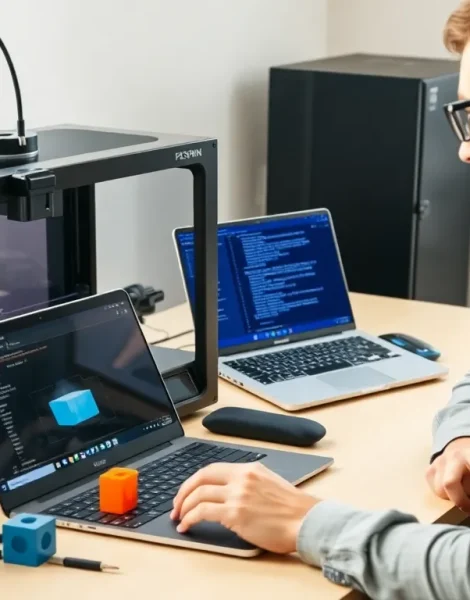
Learning how to 3D printing opens doors to creating custom objects at home. From replacement parts to artistic projects, this technology puts manufacturing power in anyone’s hands. The process might seem technical at first glance, but modern printers and software have made it surprisingly accessible.
This guide breaks down everything beginners need to know. It covers how the technology works, what equipment to buy, and how to complete a first print successfully. By the end, readers will have a clear path from curious beginner to confident creator.
Table of Contents
ToggleKey Takeaways
- Learning how to 3D printing starts with understanding FDM technology, which builds objects layer by layer using heated plastic filament.
- Entry-level 3D printers cost $200–$400, with features like auto bed leveling and heated beds making the learning process much smoother.
- Free slicer software like Cura or PrusaSlicer converts 3D models into printable instructions—default settings work well for beginners.
- Start with simple projects like calibration cubes to build skills before attempting complex prints.
- Avoid common mistakes like skipping bed leveling, printing too fast, and using moisture-damaged filament to prevent failed prints.
- Store filament in sealed bags with desiccant and print in stable, draft-free environments for consistent results.
Understanding How 3D Printing Works
3D printing builds physical objects layer by layer from digital files. The most common method for home users is Fused Deposition Modeling (FDM). An FDM printer heats plastic filament until it melts, then deposits thin layers that cool and bond together.
Think of it like a very precise hot glue gun controlled by a computer. The print head moves across a build plate, laying down material according to precise coordinates. Each layer is typically 0.1 to 0.3 millimeters thick. A small object might require hundreds of layers to complete.
Other 3D printing methods exist. Resin printers use UV light to cure liquid photopolymer. They produce finer details but require more cleanup. For beginners learning how to 3D printing, FDM remains the most practical starting point due to lower costs and simpler operation.
The key advantage of 3D printing is its additive nature. Traditional manufacturing removes material through cutting or drilling. 3D printing adds only what’s needed, reducing waste and enabling shapes impossible to create otherwise.
Choosing the Right 3D Printer for Your Needs
Selecting a first 3D printer requires balancing budget, features, and intended use. Entry-level FDM printers cost between $200 and $400. Popular options include the Creality Ender 3 series, Anycubic Kobra, and Bambu Lab A1 Mini.
Build volume matters. This measurement indicates the maximum size of objects the printer can create. A 220 x 220 x 250mm build volume handles most beginner projects. Larger volumes cost more but offer flexibility for bigger prints.
Key Features to Consider
Auto bed leveling saves frustration. A level print bed ensures the first layer adheres properly. Manual leveling works but takes practice and patience.
Heated beds expand material options. PLA filament prints fine without heat. PETG and ABS require bed temperatures around 60-80°C for proper adhesion.
Direct drive vs. Bowden extruders affects filament compatibility. Direct drive systems handle flexible materials better. Bowden setups are lighter and allow faster print speeds.
For those serious about learning how to 3D printing efficiently, spending an extra $100-200 on quality features saves hours of troubleshooting later. Cheap printers often create problems that discourage new users before they build real skills.
Essential Software and File Preparation
3D printing requires two types of software: design programs and slicers. Design software creates or modifies 3D models. Slicers convert those models into printer instructions.
Finding and Creating 3D Models
Beginners don’t need to design from scratch. Websites like Thingiverse, Printables, and MyMiniFactory offer thousands of free downloadable models. These files come in STL or OBJ format, ready for slicing.
Those wanting to create original designs have several options. TinkerCAD provides a free, browser-based introduction to 3D modeling. Fusion 360 offers professional-grade tools with a free hobbyist license. Blender handles artistic and organic shapes well.
Slicer Software
Slicers are where 3D printing preparation happens. These programs take a 3D model and generate G-code, the instructions telling the printer exactly how to move.
Popular free slicers include:
- Cura (open-source, works with most printers)
- PrusaSlicer (excellent for beginners)
- Bambu Studio (for Bambu Lab printers)
Slicer settings control print quality, speed, and strength. Layer height affects detail and print time. Infill percentage determines how solid the interior is. Support structures help print overhanging sections. Understanding how to 3D printing settings interact takes experimentation, but default profiles work well for starting out.
Your First 3D Print: Step-by-Step Process
Ready to print? Here’s the process from start to finish.
Step 1: Prepare the printer. Level the bed if your machine lacks auto-leveling. Clean the build surface with isopropyl alcohol. Load filament according to manufacturer instructions.
Step 2: Choose a simple model. A calibration cube or small figurine works well. These prints finish quickly and reveal any setup issues.
Step 3: Import and slice. Open the slicer software. Import the STL file. Select the appropriate printer profile. Review layer height (0.2mm is standard) and infill (15-20% for decorative items). Generate the G-code.
Step 4: Transfer to printer. Most printers accept files via SD card or USB. Some support WiFi transfer.
Step 5: Start and monitor. Begin the print. Watch the first few layers closely. The first layer is critical, if it doesn’t stick properly, stop and adjust. After that, check periodically but avoid constant hovering.
Step 6: Remove and finish. Let the print cool before removal. Use a scraper if needed. Remove any support material and sand rough edges if desired.
Mastering how to 3D printing takes practice. First prints rarely come out perfect. Each attempt teaches something about settings, materials, and machine behavior.
Common Beginner Mistakes to Avoid
New users make predictable errors. Knowing them in advance saves time and filament.
Skipping bed leveling. An unlevel bed causes adhesion failures. The nozzle needs consistent distance from the surface across the entire print area. Take time to get this right.
Printing too fast too soon. Speed tempts everyone. Fast prints often have quality issues. Start with default speeds. Increase gradually as skills improve.
Ignoring ambient temperature. Drafts and cold rooms cause warping and layer separation. Print in stable conditions, away from air vents or open windows.
Using wet filament. PLA and especially PETG absorb moisture from the air. Wet filament causes stringing, popping sounds, and weak layers. Store filament in sealed bags with desiccant.
Attempting complex prints immediately. That detailed castle or articulated dragon will fail without experience. Build skills with simpler objects first. Understanding how to 3D printing succeeds requires learning from easier projects before tackling ambitious ones.
Not cleaning the nozzle. Residue builds up over time. A clogged nozzle under-extrudes or stops entirely. Cold pulls or cleaning filament solve most clogs.